Unemployment Rate
1
Installation & Local Build
Better US Econ Data (BetterEcon) is built for iOS 17.0+ using pure Swift, SwiftUI, and Swift Charts. You can build it directly with Xcode or regenerate the project file using XcodeGen:
git clone https://github.com/sgoley/BetterEcon.git
cd BetterEcon
xcodegen generate --spec project.yml
open BetterEcon.xcodeproj
Select the BetterEcon scheme, pick any iOS 17+ Simulator (e.g. iPhone 16 Pro), and press Cmd + R to run.
2
Getting a Free FRED® API Key
The Federal Reserve Bank of St. Louis provides free, permanent API keys to developers, analysts, and students. A key is not required to explore preview data, but unlocks live queries across 800,000+ time series:
- Visit the St. Louis Fed FRED® Website and create a free account.
- Go to My Account > API Keys and request a key.
- Keys are issued immediately as a 32-character hexadecimal string with a generous 120 requests/minute quota.
Development Convenience: Auto-Seeding
During local development, you can place your key in a gitignored .env file (FRED_API_KEY=your_key) or an Xcode scheme environment variable. The app will automatically seed Keychain on first launch!
3
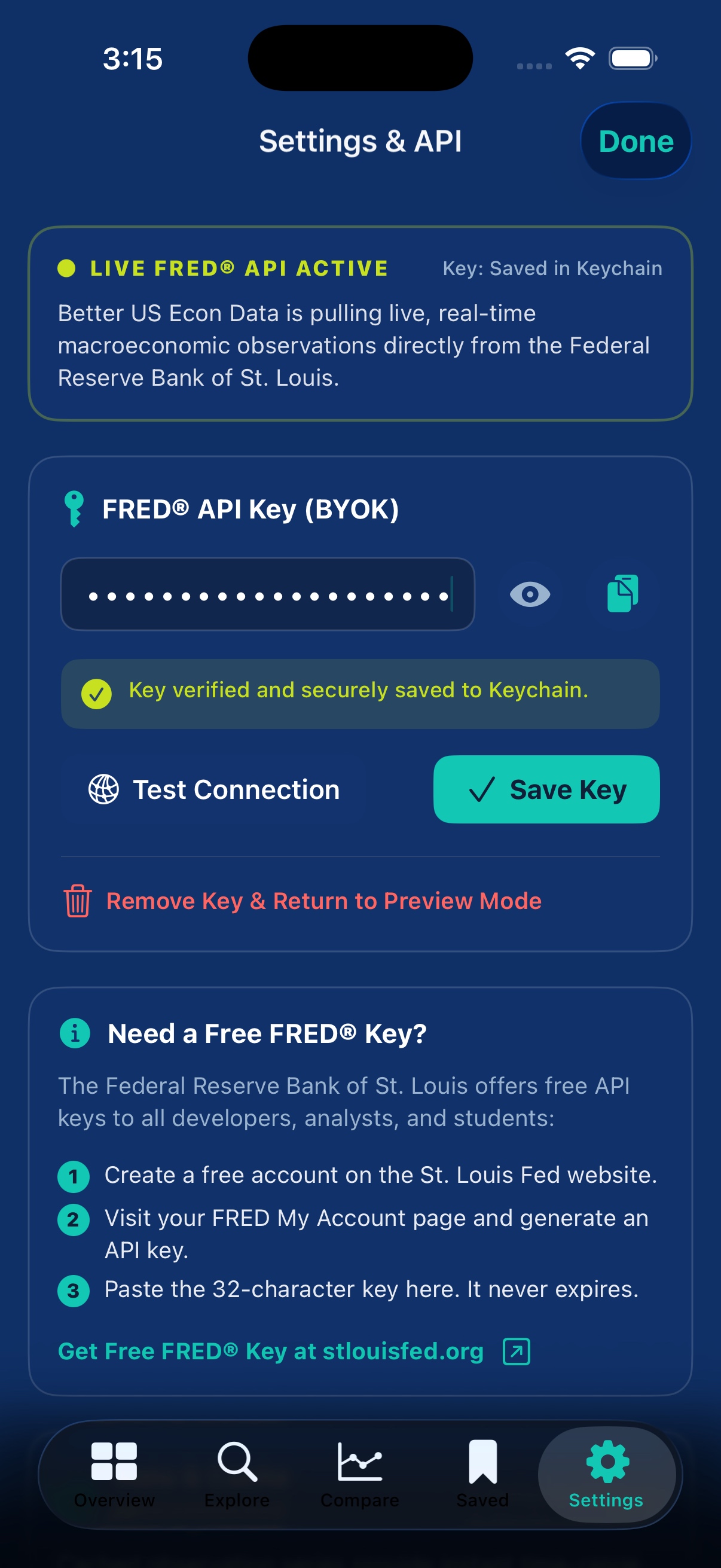
In-App Key Configuration & Live Verification
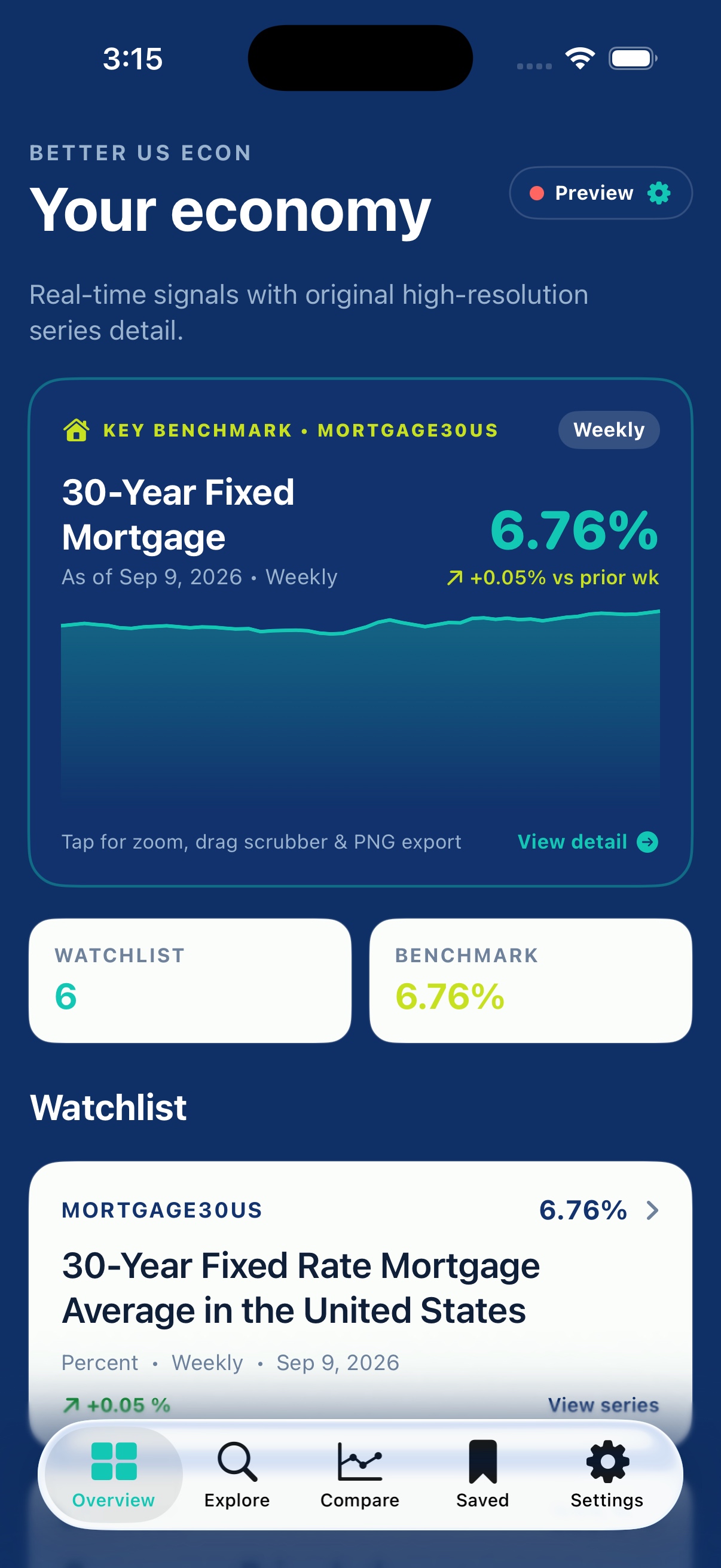
Better US Econ Data features a dedicated Settings screen accessible from the Settings tab or by tapping the Live API / Preview pill on the Overview dashboard.
- Masked Key Input: Paste your 32-character key from the clipboard or toggle visibility.
- Test Connection Button: Performs a live ping against FRED observations before saving, verifying your key is active.
- Save Key: Safely writes to the iOS Secure Keychain and refreshes your watchlist with live observations.
- Remove Key: Seamlessly return to offline preview mode at any time.
4
Add a Configurable Home Screen Widget
Widgets are available after you have saved and loaded at least one series in BetterEcon. The app writes the latest cached observations to its private shared storage so WidgetKit can display them locally.
- Long-press an empty area of the iPhone or iPad Home Screen, then tap Edit and Add Widget.
- Search for BetterEcon, select a small, medium, or large widget, and tap Add Widget.
- Long-press the new widget, choose Edit Widget, then select the saved economic series to display.
- Set Display to Value for the latest observation alone, or Sparkline for the value and its recent trend.
Why the chart does not look flat
The sparkline automatically uses the most recent 12, 30, or 60 observations depending on widget size. Its vertical range is calculated from the visible data and padded for headroom, so smaller changes remain legible without exaggerating noise.
5
Navigating Charts, Recessions & Zoom
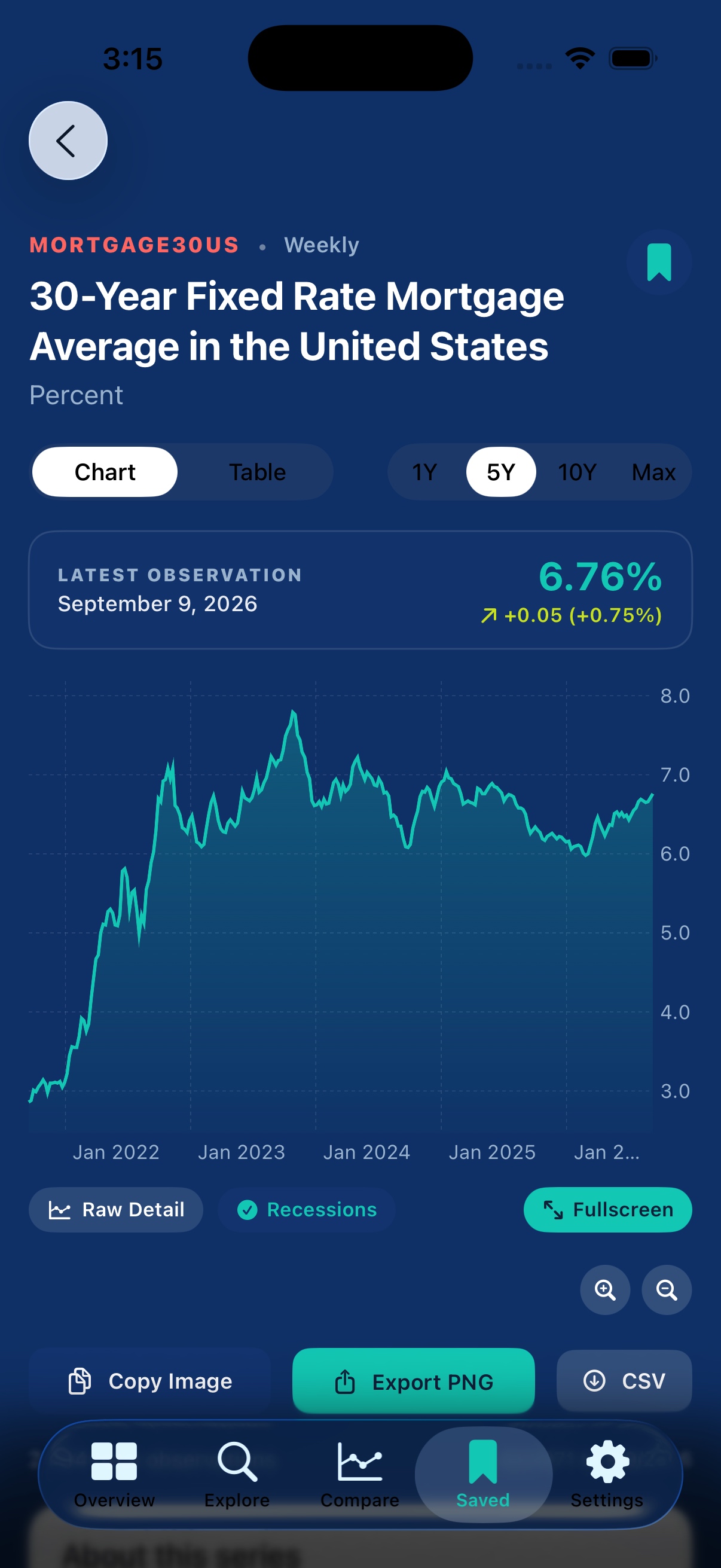
Every series detail screen is equipped with professional inspection controls:
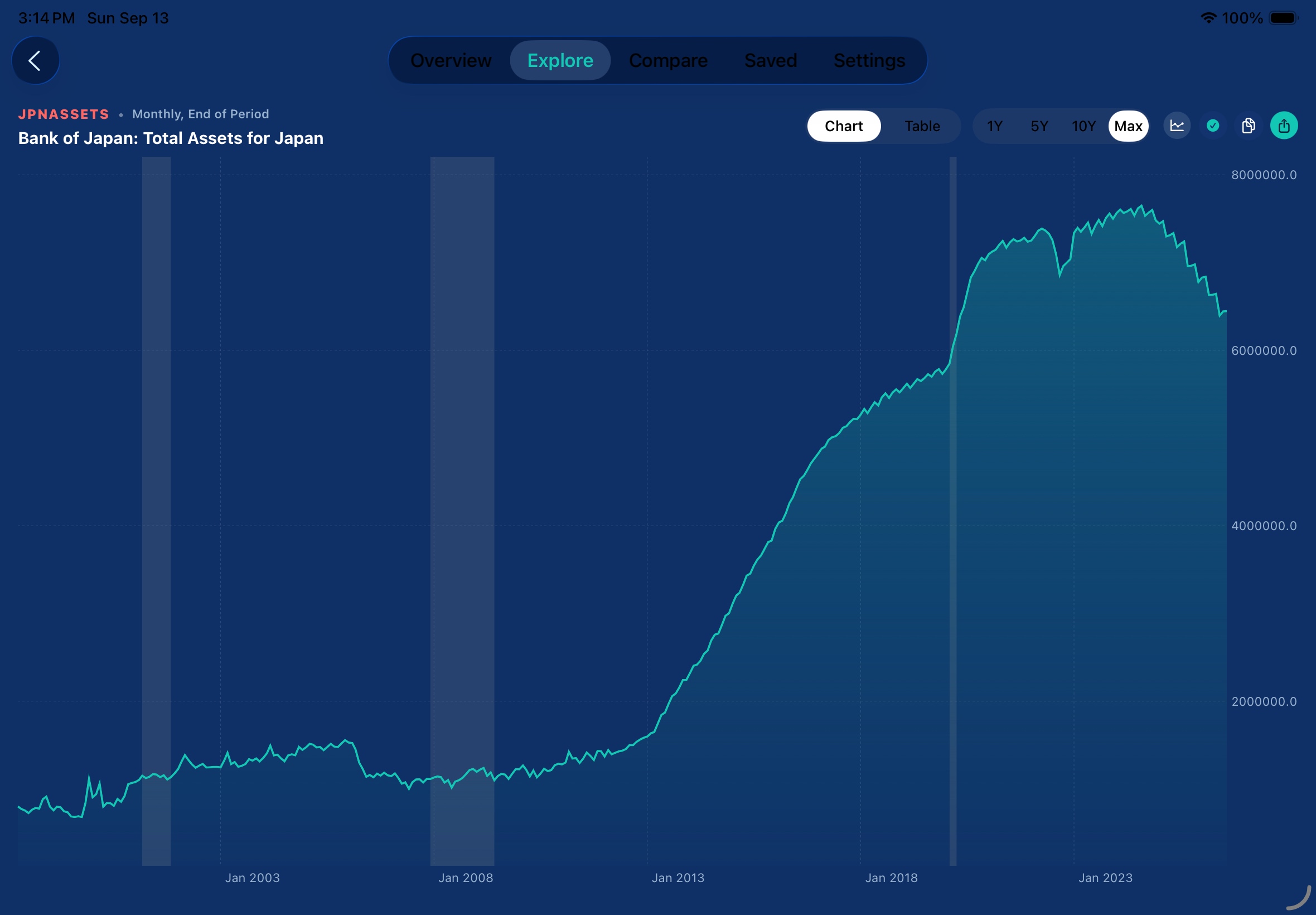
- Interactive Scrubber: Drag horizontally across any chart to inspect exact readings and period deltas in the floating HUD.
- NBER Recessions: Toggle gray recession bands spanning 1973 through the 2020 COVID-19 shock.
- Range Selectors: Switch between
1Y,5Y,10Y, andMaxtime horizons. - Step Zoom (
+/-): Dynamically pinch or tap zoom buttons to focus on specific economic cycles.
6
Landscape Trading Desk & Exports
Turn your device sideways for an edge-to-edge landscape workstation. Tap the Share button to export 3x retina PNG images with source attribution, or use the Table mode to copy raw TSV numbers directly into Excel or Numbers.